Device → dashboard streaming

Turn any device into a live web dashboard.

BlinkPose is a family of small, self-contained modules that each take one physical device and stream its live data to a local web dashboard — a depth camera, a motion-capture rig, your keyboards and joysticks, a handful of BLE motion and pressure boards, or a motorized force platform. Same message shape, same look, no build step.
localhost — BlinkPose · live dashboards
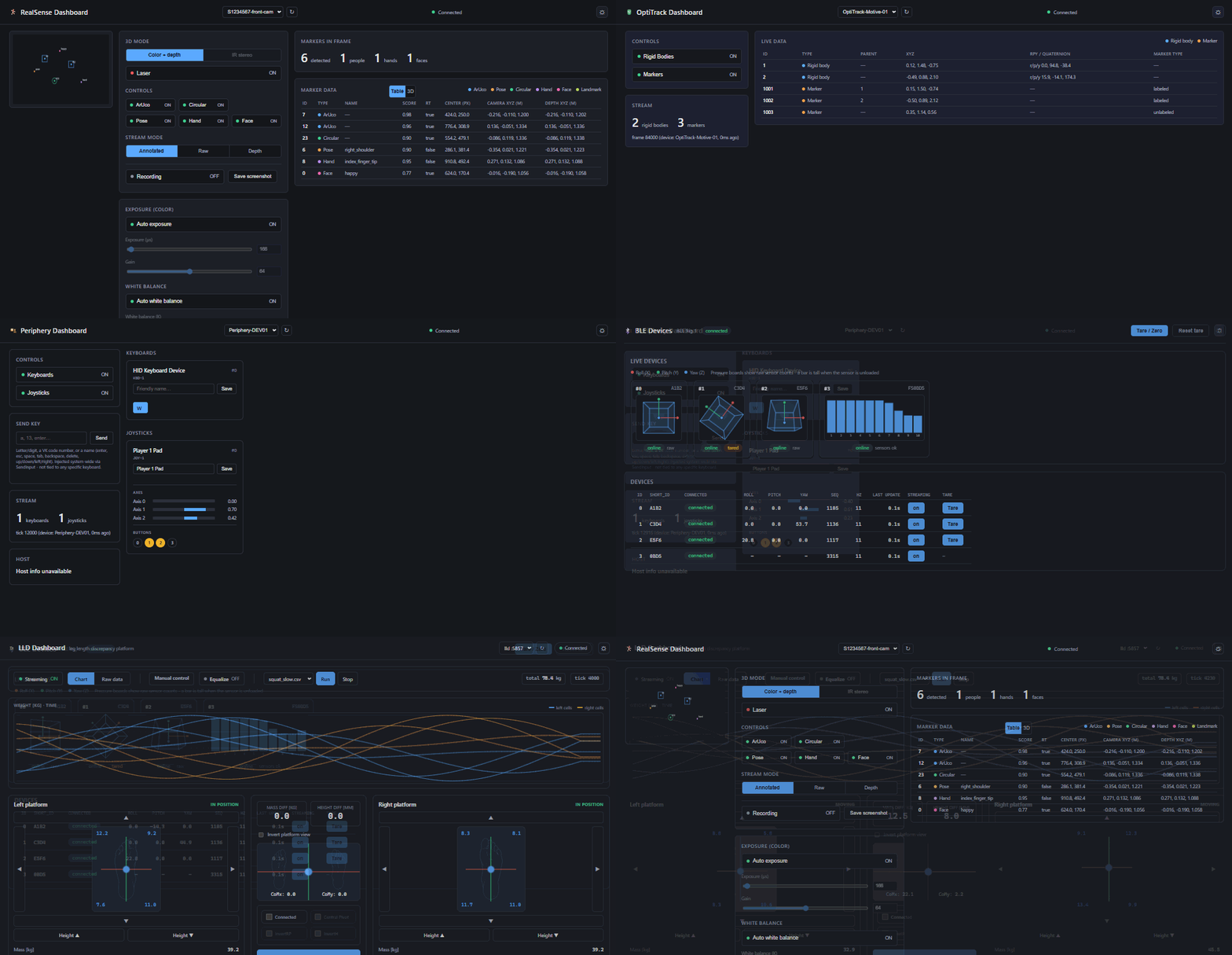
BlinkPose cycling through its five device dashboards — camera, motion capture, input hardware, BLE orientation and pressure boards, and a force platform

Plate I — the five dashboards in turn: depth camera, motion capture, input hardware, BLE boards, force platform. Each is a static page served from the module's own process.
One device, one process

Each module runs a tight loop: poll, detect, build one message per tick, push it out. Run several at once for several devices.

One JSON shape

Every module speaks the same { timestamp, device_id, entries[] } envelope. Learn one client, read them all.

Zero-build dashboards

Static index.html + style.css + script.js. They discover a running instance by probing localhost.

One visual identity

One shared set of design tokens behind every dashboard — dark by default, light a click away, and the whole family reads as one product in either.

The family

Five devices. One pattern.

Each module is a shipped, working implementation of the same idea, adapted to what its device actually produces.

localhost — BlinkPose.Track
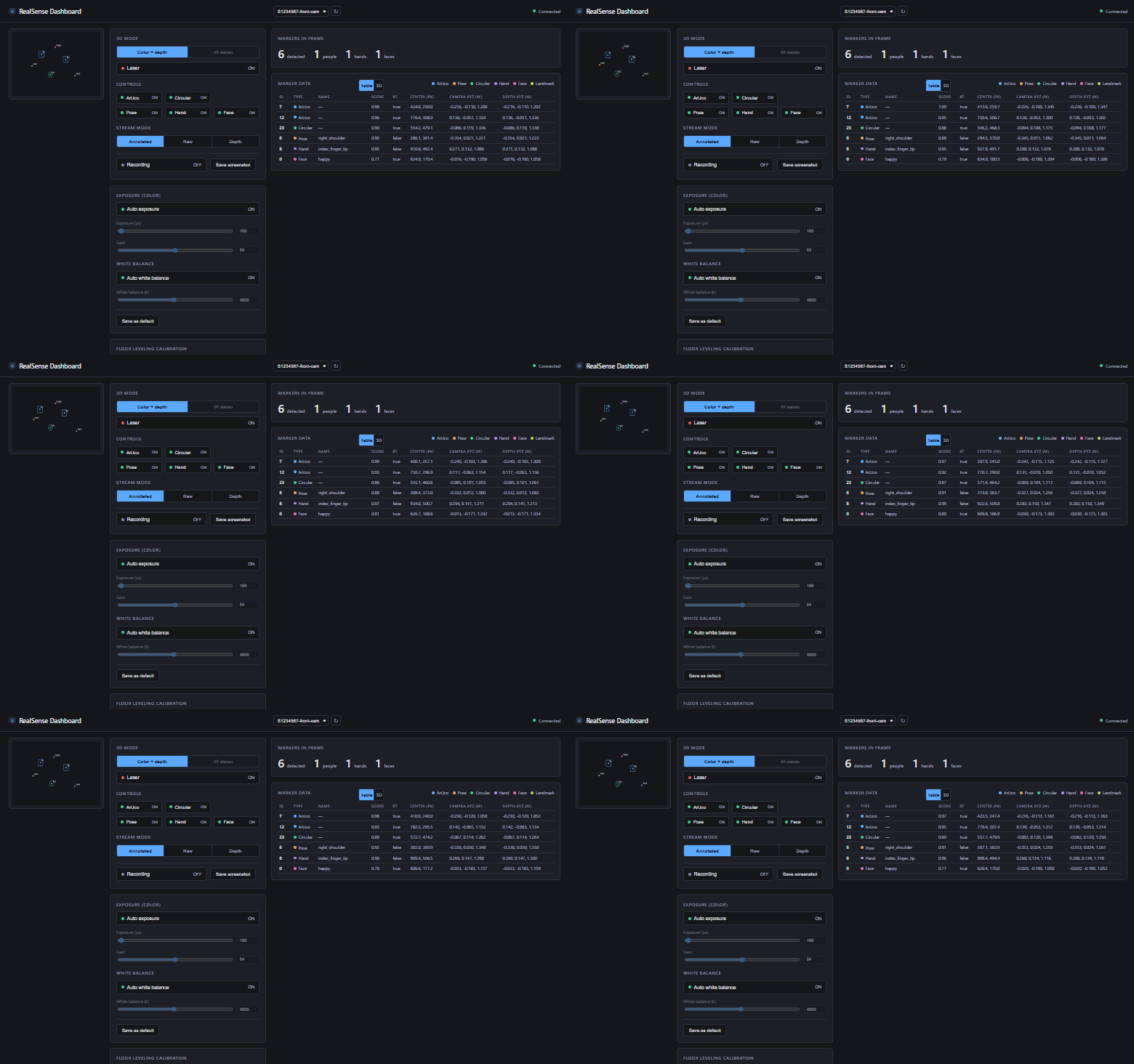
BlinkPose.Track dashboard with live camera view and detected markers updating

Plate II — live camera feed, the detection table, and the in-browser 3D view of everything in frame.

01
Intel RealSense camera

BlinkPose.Track

The richest module. It runs computer vision on an Intel RealSense depth camera, detecting ArUco markers, human pose, hands, faces and circular markers in a single pass — each tagged with a real 3D position deprojected from the depth stream, and a full 6-DOF pose for the marker types. It's the only module with a live video feed and an in-browser 3D view of everything it sees, and it can record and replay sessions.

Vision 6 entry types media: MJPEG 3D view
View details
localhost — BlinkPose.OptiTrack
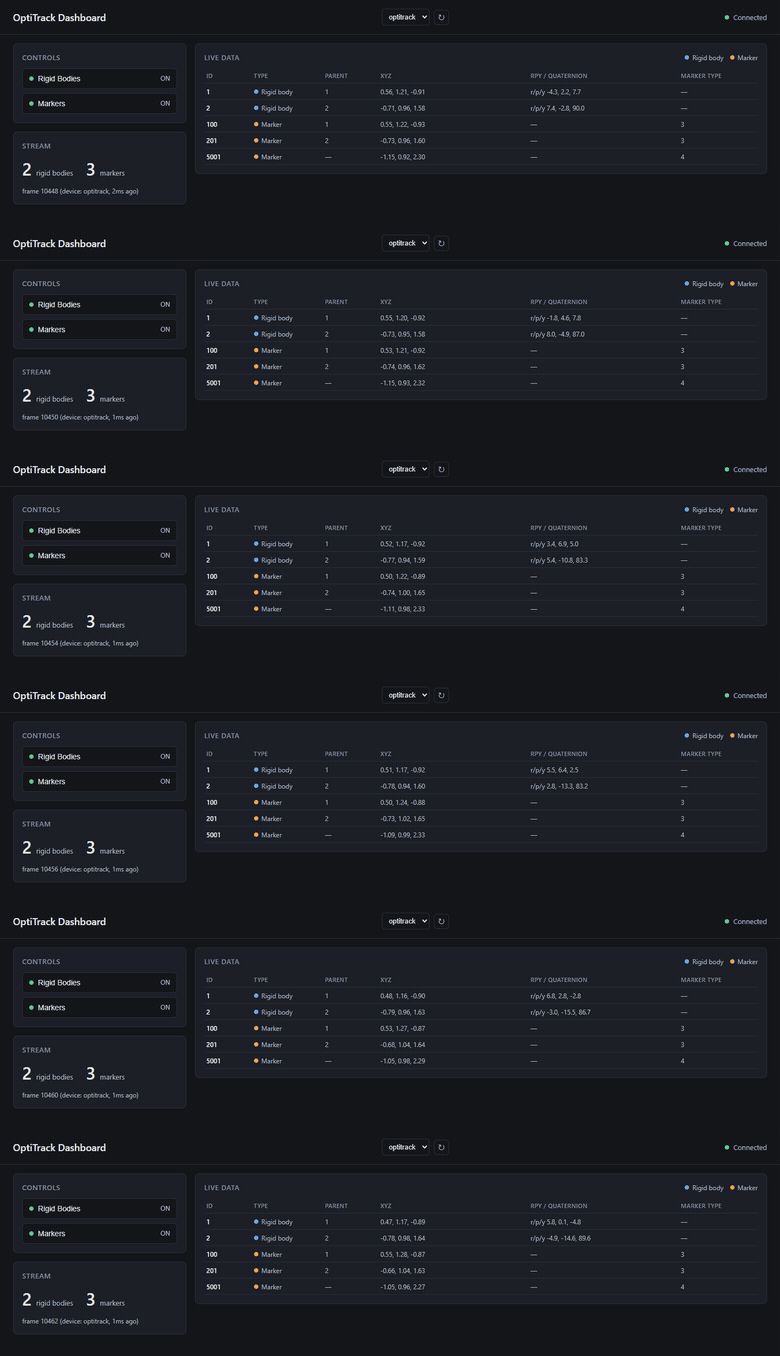
BlinkPose.OptiTrack dashboard listing tracked rigid bodies and markers updating

Plate III — tracked rigid bodies and their individual markers, straight from the mocap solver.

02
OptiTrack / Motive · NatNet

BlinkPose.OptiTrack

Bridges a professional OptiTrack / Motive motion-capture rig over NatNet. It streams every tracked rigid body with full 6-DOF pose plus its individual markers, straight from the mocap solver — already in millimetre-accurate 3D, so there's no depth math to do. Each frame carries the solver's own frame id, so anything downstream lines up exactly with the capture.

Mocap rigidbody · marker 6-DOF pose no media
View details
localhost — BlinkPose.Periphery
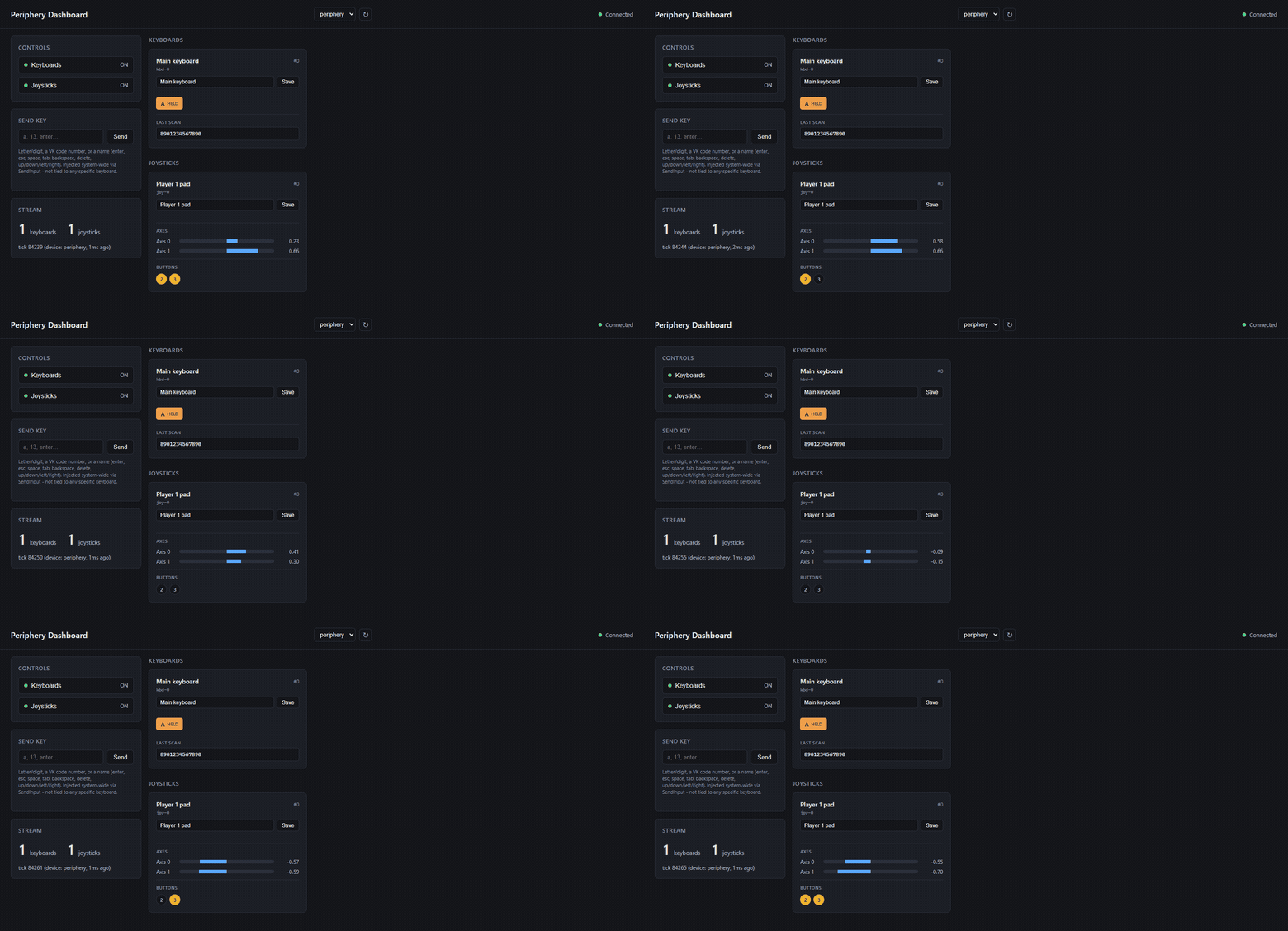
BlinkPose.Periphery dashboard showing keyboards and joysticks with live axes and buttons

Plate IV — the roster of connected keyboards and joysticks, axes and buttons updating live.

03
Keyboards + joysticks

BlinkPose.Periphery

Turns ordinary input hardware into a clean data stream. It reports key presses per physical keyboard through Win32 Raw Input — so it can even tell two identical keyboards apart — plus joystick axes and buttons over SDL2. It keeps a live roster of every connected device (each with an editable friendly name), and can inject synthetic keystrokes back out to the OS.

Input key · axis · button device roster no media
View details
localhost — BlinkPose.BLE
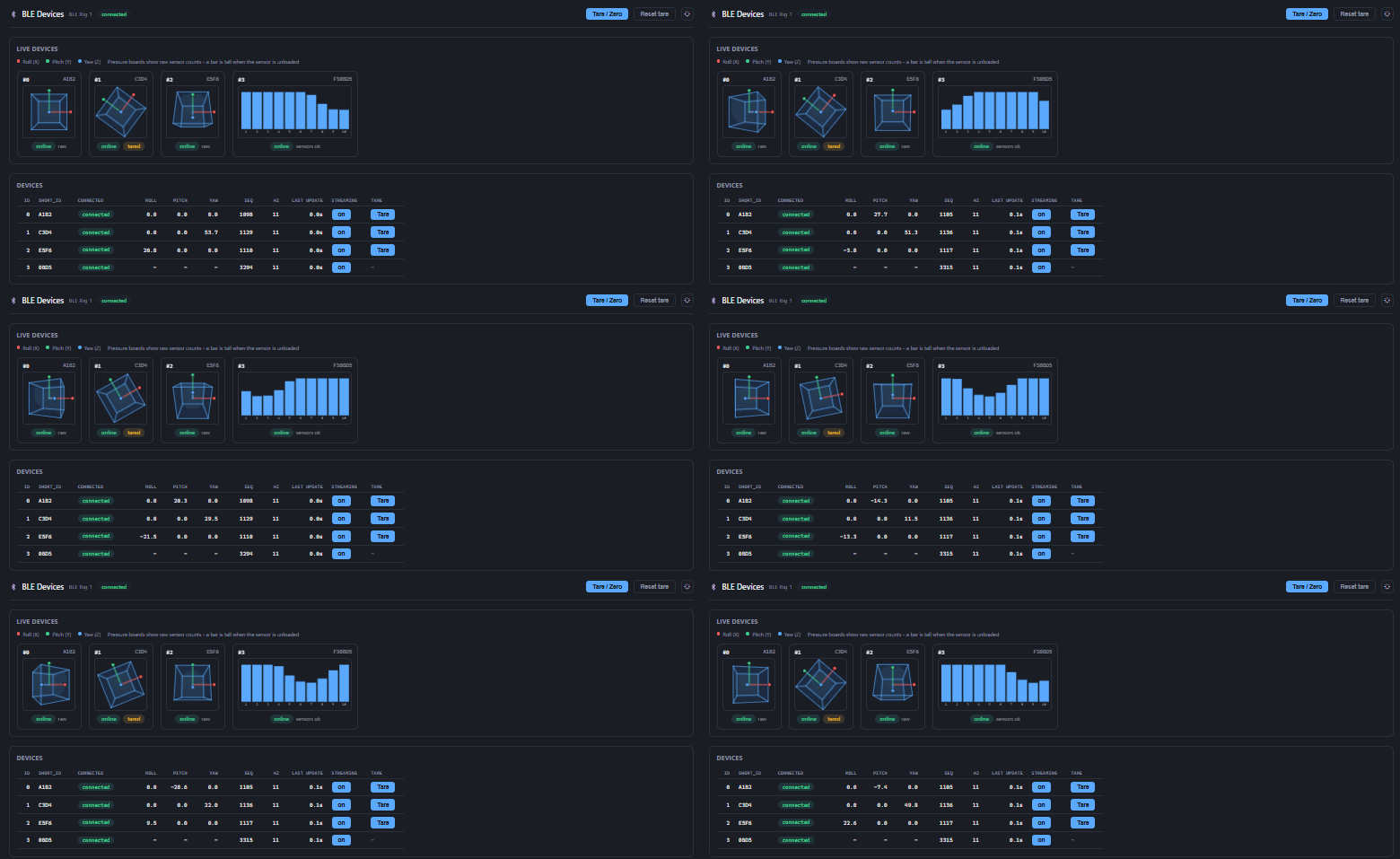
BlinkPose.BLE dashboard showing orientation gizmos and pressure sensor bars updating live

Plate V — orientation boards and pressure boards side by side: tareable 3D gizmos and ten-channel sensor bars, all on one page.

04
IMU · pressure · Bluetooth LE

BlinkPose.BLE

Connects over Bluetooth LE to a mixed set of small wireless boards at once — IMU boards republishing a fused orientation quaternion, and pressure boards republishing ten live load channels each. Because the boards are small and wireless, it's the natural fit for wearables, props and mats — and you can tare any orientation board straight from the dashboard, capturing its current pose as a new zero reference on the fly.

Orientation Pressure quaternion 10 channels mixed rosters tare
View details
localhost — BlinkPose.LLD
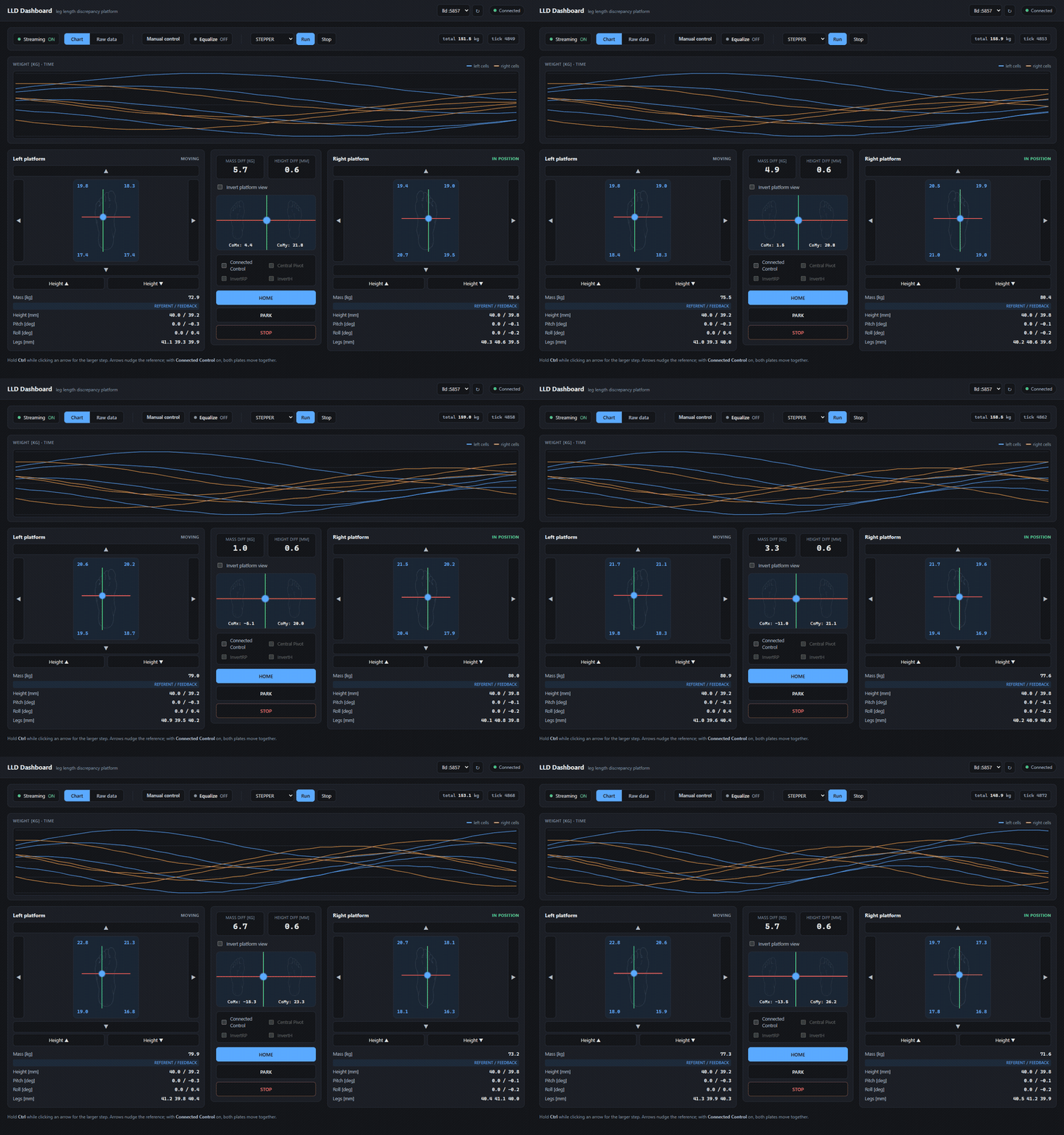
BlinkPose.LLD dashboard: dual force platform with live load cells, weight chart and platform controls

Plate VI — eight load cells, six actuators, and the controls that drive both plates.

05
Dual force platform

BlinkPose.LLD

The one device that talks back. A leg-length-discrepancy platform with two motorized foot plates — it streams 8 load cells, 6 actuators and each plate's live pose, and it also takes motion commands, driving the plates to a target height, roll and pitch straight from the browser.

Bidirectional 8 load cells 6 actuators measure + move
View details

Under the hood

How a module works

One process owns one device. It runs four tiny network servers, and the browser dashboard finds it by probing localhost — no configuration handshake, no central registry.

Physical device camera · mocap · IMU One process poll → detect → build 1 msg / tick → push to servers four small servers raw TCP feed · base+0 media / MJPEG · base+1 control API · base+2 events (SSE) · base+3 Browser dashboard discovers by probing

Fig. 1 — the signal path. One process owns one device and answers on four consecutive ports; the dashboard finds it by probing localhost.

  1. Discover. The dashboard probes a range of localhost control ports; any that answer /status with a device_id is a live instance.
  2. Stream. It opens a Server-Sent Events connection to that instance's events port and receives one JSON message per tick — the same payload the raw TCP feed sends.
  3. Render. Each tick carries a flat entries[] list, discriminated by type and sorted deterministically, drawn into a live table (and, for Track, a 3D view).
  4. Control. Toggles and device-specific actions are plain GET calls to the control API, which always returns the full current /status.
Specimen: one tickidentical over TCP and SSE
{
  "timestamp_ms": 1730563200123,
  "device_id": "optitrack",
  "entries": [
    {
      "type": "rigidbody",
      "id": 1,
      "rt": [ /* row-major 4×4 pose */ ]
    },
    {
      "type": "marker",
      "id": 101,
      "parent_id": 1,
      "rt": null
    }
  ]
}

One envelope type per tick · entries[] sent even when empty · id = parent_id·100 + index.

Consistent by design

Different data, one product

The pieces that make five independent apps feel like one system.

Shared palette, two themes

Every dashboard starts from a byte-identical :root token block — one accent, a green/red/amber status set, and no rule outside that block naming a colour. The light theme re-states the same names, so one attribute re-skins all five.

  • bg
  • panel
  • accent
  • good
  • bad
  • warn

left half dark · right half light

Finds its own instance

Open a dashboard and it discovers the running process by itself, probing localhost — nothing to type in, no address to configure. Start the process, open the page, and it just connects.

GET /statusdevice_id ✓

One message shape

Every module serializes the same { timestamp_ms, device_id, entries[] } envelope, with a single type-discriminated entries[] list — read one module and you can read them all.