Remote desktop · screen probes
BlinkPose.Glance puts a PC's screen in any browser on the network: watch it, take over mouse and keyboard, copy files and text both ways. And where a machine offers no interface but its own screen, screen probes read the text, numbers or colours on it and publish them as live data — the same feed every other BlinkPose module speaks.
view · control · copy-paste · OCR · colour · real-time
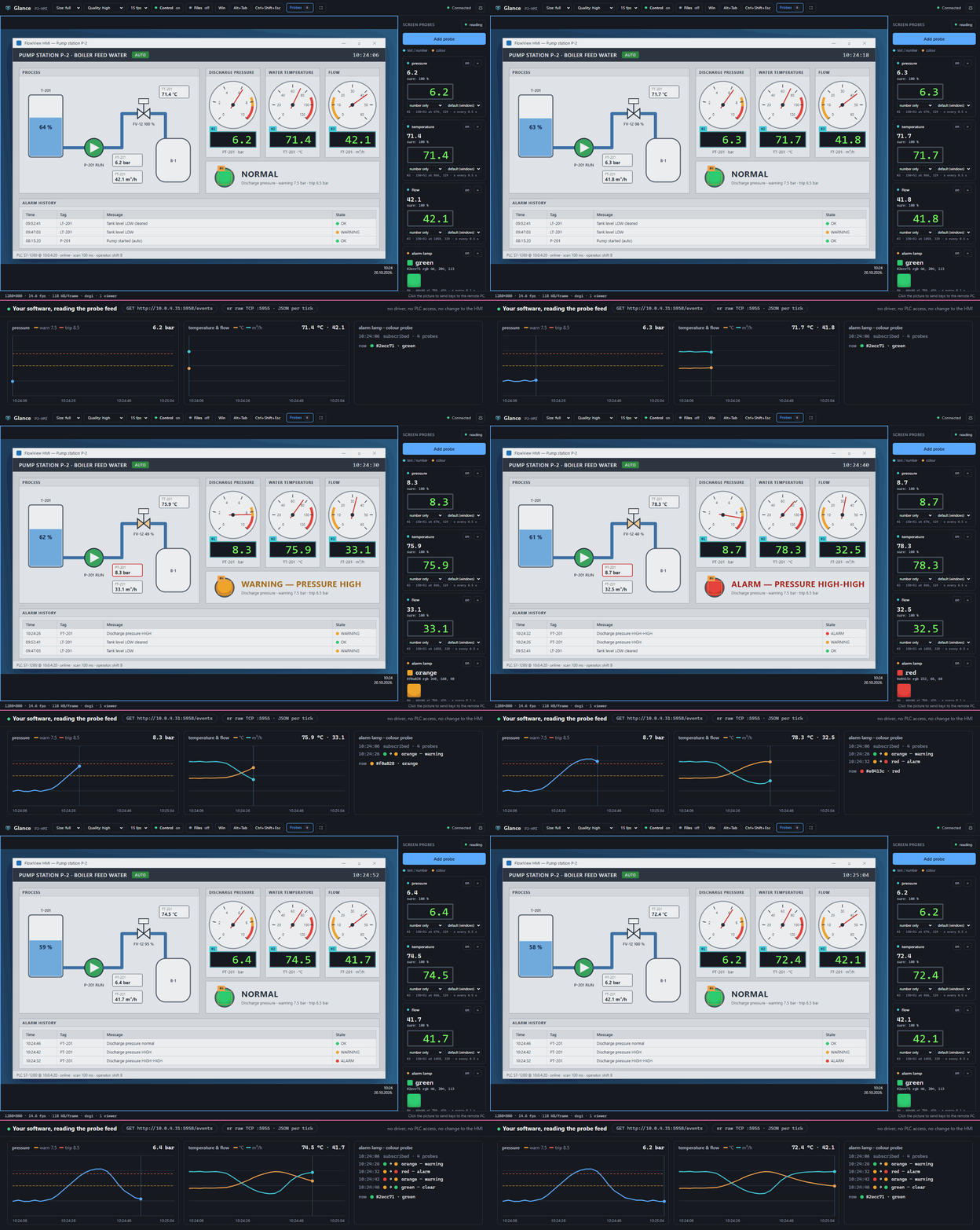
Glance viewer — on a pump station's HMI. Three OCR probes read the pressure, temperature and flow readouts, a colour probe reads the alarm lamp; the band below is a client plotting that feed as the pressure climbs through the alarm limits and recovers. No driver, no PLC access, no change to the HMI.
What it does
One small program on the PC you want to reach; a browser on the one you sit at.
The PC's desktop in any browser on the network — size, quality and frame rate set from the page.
Take control, or switch to view-only with one click. Win, Alt+Tab and Ctrl+Shift+Esc from the toolbar.
Ctrl+C files on the remote PC to download them; drop files on the picture to paste them there. Text both ways.
Mark a rectangle and its text — or just the number in it — is read continuously by OCR.
The average colour of a rectangle, named — enough for "is the lamp green or red".
Every probe reading goes out as JSON over TCP and Server-Sent Events, like every other module.
Inside the viewer
The program on the remote PC serves the viewer page itself — open its address and log in.
Why it's different
Plenty of HMIs, instruments, scales and legacy programs show their numbers on screen and nowhere else. Glance turns that screen into a data source — no driver, no export, no change to the program — and gives you the remote desktop to set it up and keep an eye on it.